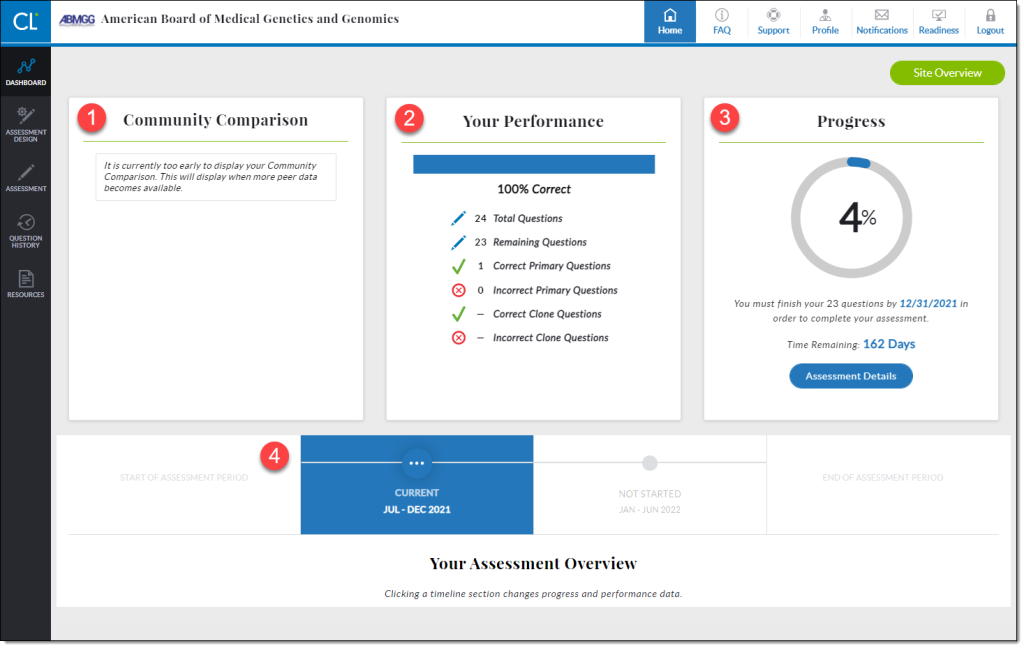
If you are a diplomate participating in Continuing Certification, you have been automatically enrolled in the Longitudinal Assessment Program. If you have not received any information about the program, please contact us at abmgg@mycertlink.org, and be sure to check out our CertLink FAQ page for commonly asked questions.
- Review the Program Overview
- Explore the ABMGG CertLink webpage to learn all about the Longitudinal Assessment Program and what it means for your Continuing Certification Program.
- Make Sure You’re Receiving Our Emails
- Add the following to your safe senders list:
- no-reply@castoredc.com
- abmgg@mycertlink.org
- Update your personal and contact information in the portal
- Add the following to your safe senders list:
- Set Up Your Technical Envirornment
- Update your browser
- Use a stable, reliable and relatively high-speed internet connection
- Perform a system check when prompted by the platform or go to the “Need Help?” menu
- Log In
PLEASE NOTE:
Login for the September 2026-January 2027 segment of CertLink should be accessed at abmgg.mycertlink.org while we complete the ABMGG portal update and enable the single-sign-on function. You will receive an email with your credentials to access your assessment. If you have issues logging in, email StayCertified@abmgg.org for assistance.
- Design Your Assessment
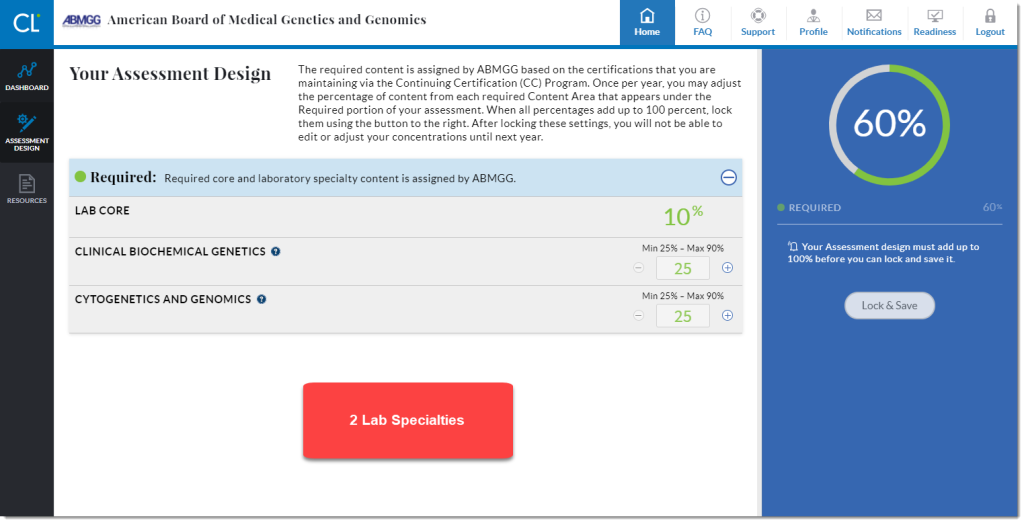
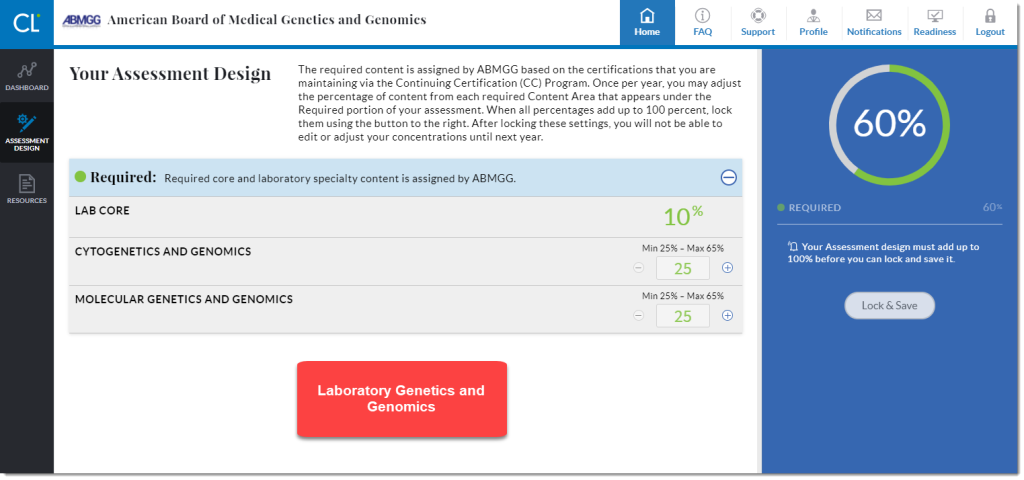
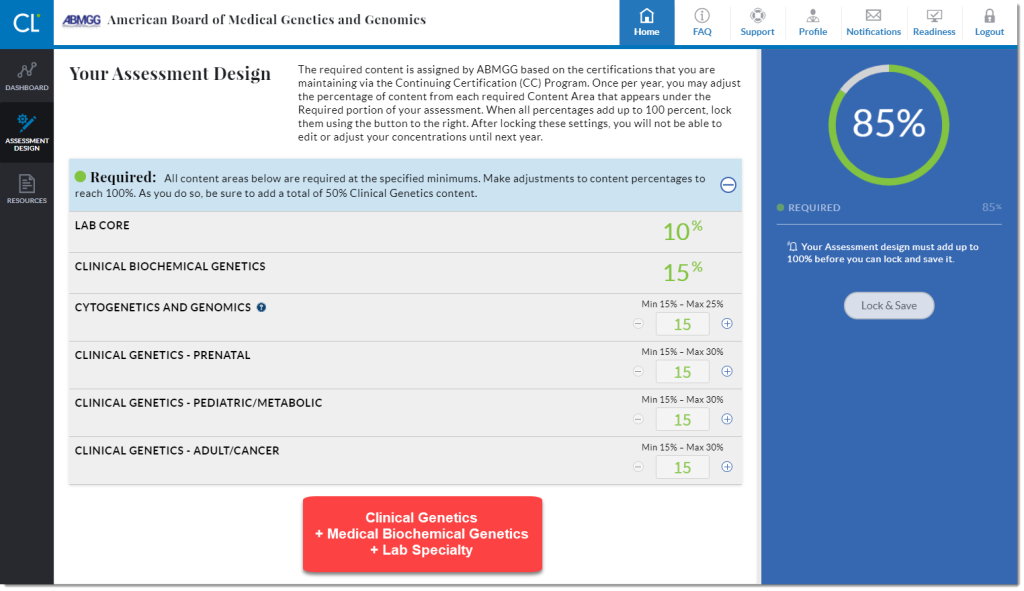
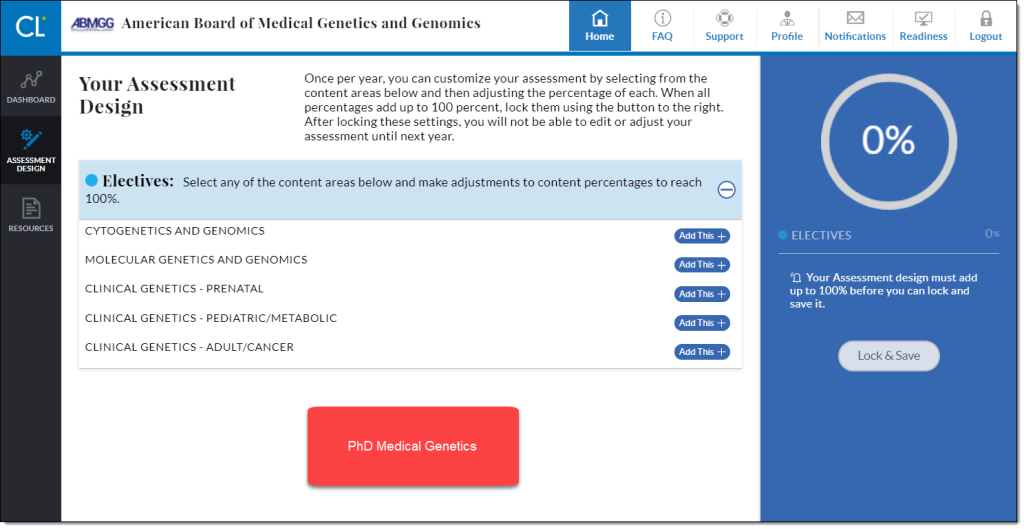
- The platform will guide you to set your assessment design before delivering any questions if you are certified in Clinical Genetics and Genomics, Medical Biochemical Genetics, or if you are certified in more than one specialty. The customization system allows diplomates to weight the number of questions according to their specialties and preferences while maintaining a minimum baseline knowledge of core areas.
- Diplomates with a single laboratory specialty are automatically assigned 10% lab core and 90% specialty questions.
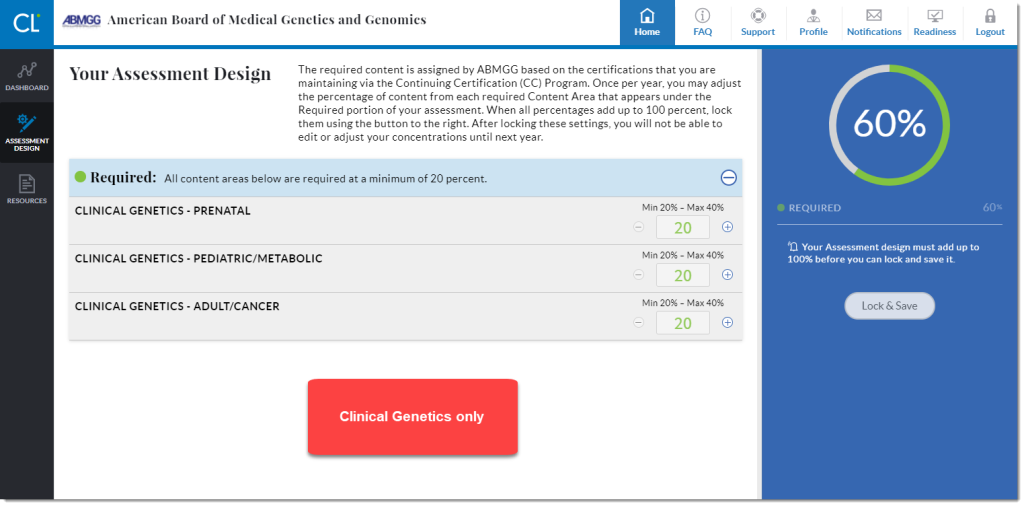
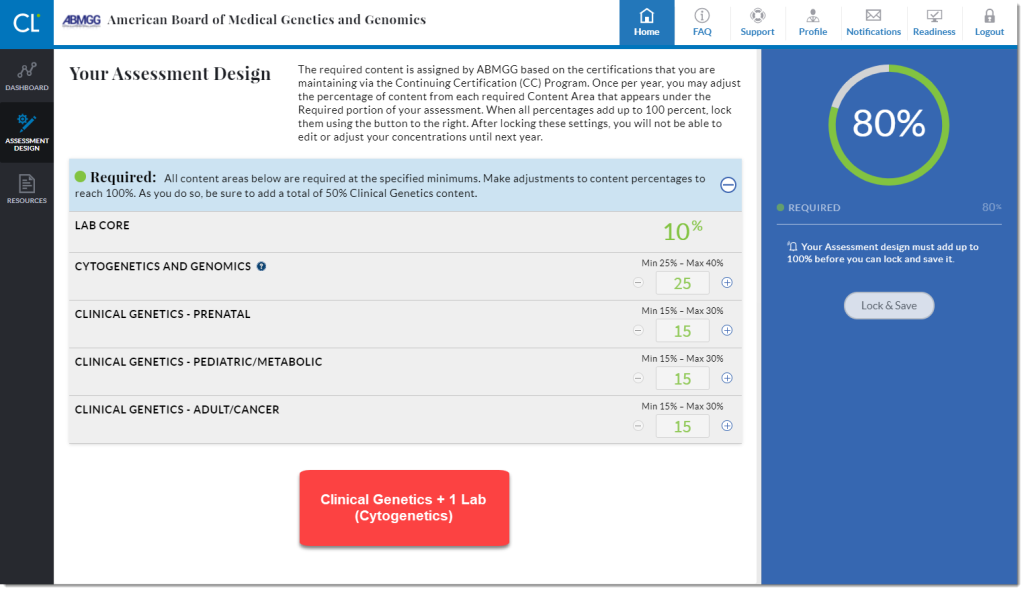
- Below are just a few examples of assessment design. If you have questions specific to your specialty design, please submit a support ticket to abmgg@mycertlink.org.
Clinical Geneticists will be able to customize their assessment design based on their clinical practice as well. The platform requires a set number of core questions, and then will allow the diplomate to choose the remainder of questions in their practice area.
- Answering Questions
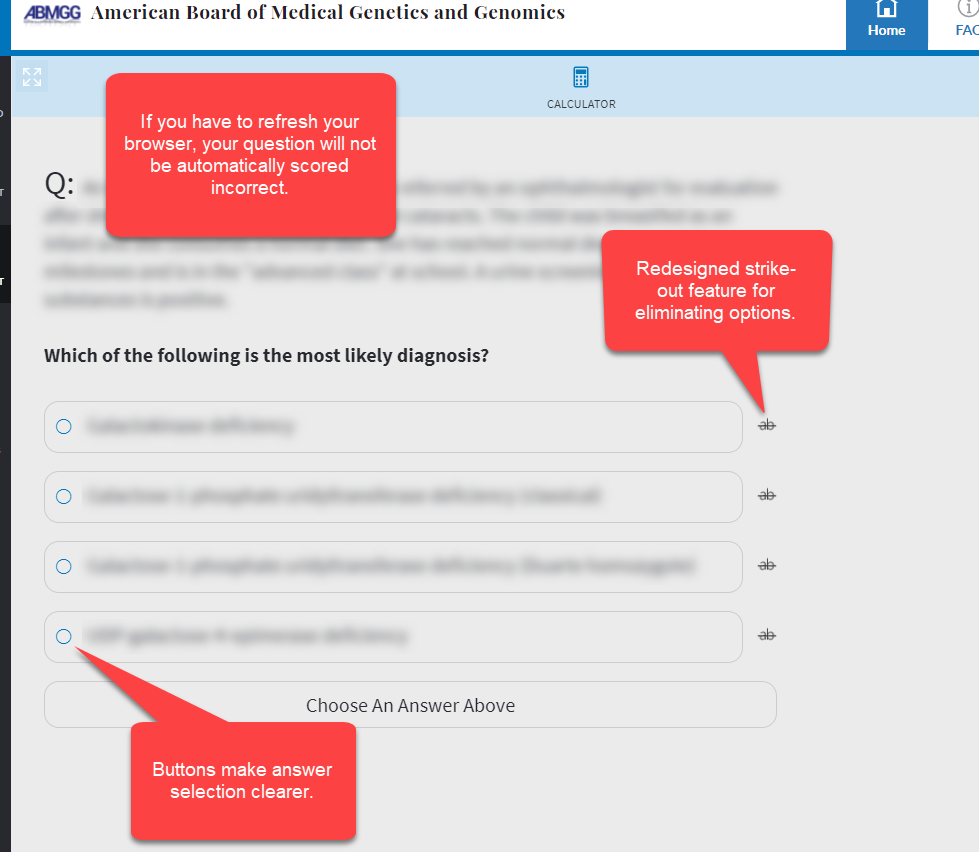
- Questions can be answered on a web browser on a desktop or laptop computer or using the CertLink mobile app on an iPad or Android tablet. CertLink is not available on smartphones.
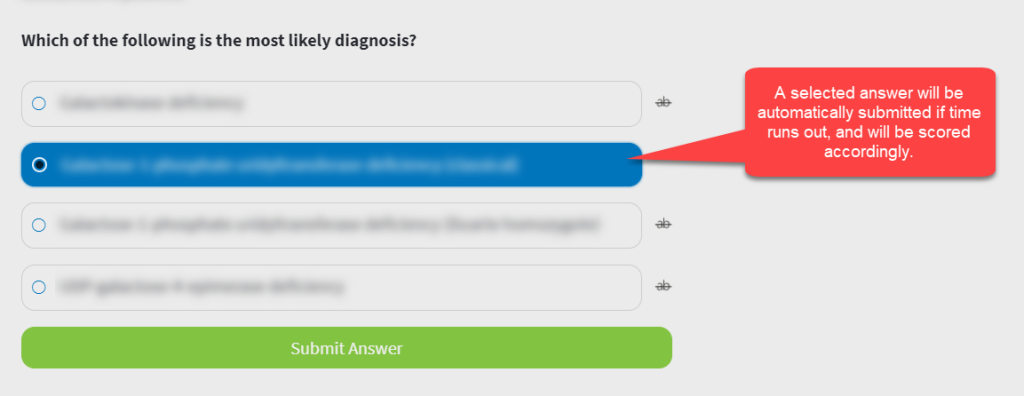
- 5 minutes per question – once you start a question, you must submit an answer, or it will be marked incorrect.
- If incorrect, you can reattempt a question after reading the critique for learning purposes. Only your first attempt will be counted in your performance.
- Navigate the Dashboard
- Your dashboard in the CerLink platform shows separate cards on your dashboard for your performance (the percentage of questions answered correctly) and your progress through the assessment (percentage of questions that have been answered)
- Your performance card provides additional details about how your score is calculated. See the dashboard description under “Getting Started” in the FAQs on your login page for more information.